Lua and Python Scripting in DaVinci Resolve With AI Agents
AI agents can automate editing tasks only within Resolve's scripting API limits.
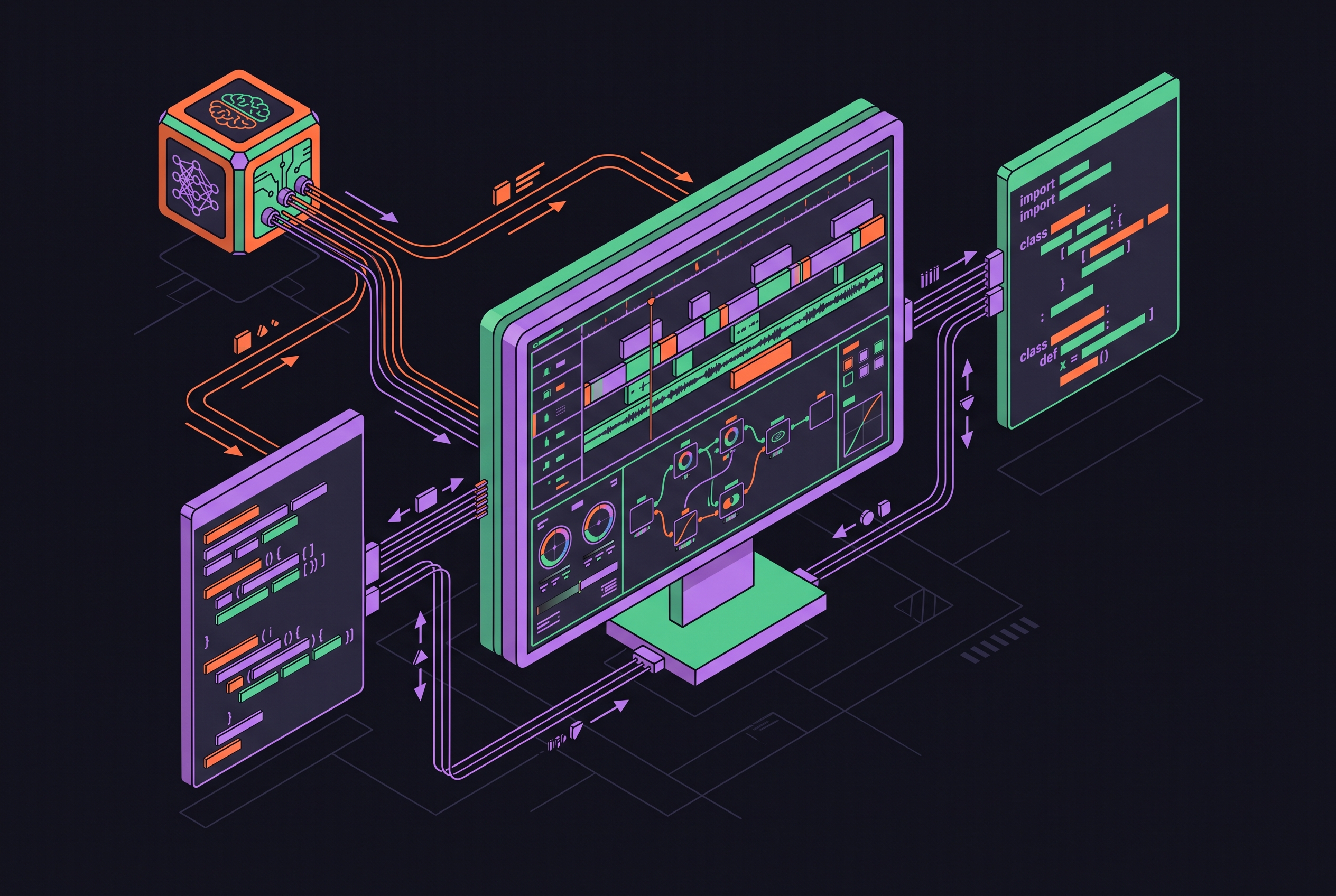
AI agents can drive DaVinci Resolve through Lua and Python scripting, but they cannot reach every control an editor can click. Resolve 21.1’s native MCP server sits on the same scripting API that editors have used for years. Understanding that API is the foundation for useful automation, because a conversational request does not create a missing method.
What the scripting API actually is and what it runs on
Resolve’s scripting API exposes an object tree. In Python, import DaVinciResolveScript as dvr loads the module, and dvr.scriptapp("Resolve") returns the application object. Calling resolve.GetProjectManager() opens the path to projects. From a project, GetMediaPool() and GetCurrentTimeline() reach media and timeline objects. Each operation belongs to an object in that hierarchy.
The language requirements are straightforward but specific. The davinci-resolve skill documents Python 3.6+ 64-bit or Lua 5.1 for scripting. The interactive Console also accepts Python 2.7, Python 3.6, and Lua. Resolve can run without its interface through the -nogui command-line option, with the scripting APIs still available. Headless operation changes how Resolve runs while preserving the object tree a script uses.
Environment setup and where scripts live on each platform
External Python needs three environment variables set to the right paths: RESOLVE_SCRIPT_API points to the scripting directory, RESOLVE_SCRIPT_LIB points to the scripting library, and PYTHONPATH includes the API’s Modules subdirectory. An import can fail here, before any editing starts.
On macOS, RESOLVE_SCRIPT_API points to /Library/Application Support/Blackmagic Design/DaVinci Resolve/Developer/Scripting. RESOLVE_SCRIPT_LIB points to fusionscript.so inside the app bundle, while PYTHONPATH appends the Modules directory. On this platform, take extra care to check that Python can be found. Wrong paths can cause failures with no useful explanation of what went wrong.
On Windows, the API directory sits under %PROGRAMDATA%\Blackmagic Design\DaVinci Resolve\Support\Developer\Scripting, and the library is fusionscript.dll. On Linux, the API directory is /opt/resolve/Developer/Scripting, or /home/resolve/Developer/Scripting on some ISO installs, and the library is fusionscript.so.
Scripts in platform-specific Fusion/Scripts directories appear under Workspace → Scripts. The skill documents Linux’s ~/.local/share/DaVinciResolve/Fusion/Scripts/Utility, with macOS and Windows equivalents in its README. Folder names determine where scripts appear. Utility serves all pages, Comp and Tool serve Fusion, and Edit, Color, and Deliver serve their respective pages. Deliver scripts also appear in render jobs, while the Console provides a fallback for testing individual calls immediately.
The Studio license gate and what it shuts off for external scripting
External scripting means running code outside Resolve’s own process. A Python program launched separately qualifies, even when it runs on the same machine. From Resolve 19.1 onward, calling scriptapp("Resolve") that way requires Studio.
Scripts run through the Console and Workspace → Scripts get the live Resolve object inside the app, which has let them work in the free edition. Free 21.1 changes that practical picture. Python scripting moved to Studio, and the Scripts menu no longer lists .py files, so an older in-app Python bridge is not a dependable workaround there.
Puget Systems announced on September 10, 2026 that its benchmark tool for DaVinci Resolve would stop supporting the free edition from 21.1 onward because it uses Python to build benchmark timelines and record render times. Plugin authors face restrictions too, including the absence of a configuration interface, disk access, and process execution in free 21.1. Check which edition an agent can work with before designing it to run in a separate process.
What the scripting API can actually control across Resolve's five modules
Scripts can manage libraries, create and load projects by name, and query settings. ImportMedia() brings in footage, AddSubFolder() creates bins, and media-pool methods set metadata and color labels. Transcription retrieval includes speaker and timing metadata, giving an agent more than filenames to work with.
On Edit, scripts can create timelines and append clips with in and out points through AppendToTimeline() or CreateTimelineFromClips(). The available territory includes cuts, transitions, fades, speed changes, multicam SmartSwitch, and auto-align. Markers are also programmable. timeline.AddMarker(frameId, color, name, note, duration, customData) lets a script attach a review note to a defined timeline position.
Color exposes several repeatable grading operations. graph.SetLUT(nodeIndex, path) applies LUTs, with node indexes starting at one from v16.2.0 onward. item.SetCDL() sets CDL values, source.CopyGrades(targets) copies grades, and graph.ApplyGradeFromDRX(path, gradeMode) applies exported stills. Fusion provides node-graph and composition scripting within its API coverage, while Fairlight exposes normalisation, mappings, and basic mix adjustments.
Deliver supports format and codec selection, render settings, queue submission, and rendering through SetCurrentRenderFormatAndCodec(), SetRenderSettings(), AddRenderJob(), and StartRendering(). Batch exports are fully scriptable. Resolve 21 also expanded Neural Engine access, including GenerateSpeech(), AnalyzeForIntellisearch(), AnalyzeForSlate(), and RemoveMotionBlur(). These create speech clips, analyse media including faces, read slate data, and remove motion blur. Audio classification, speaker-aware transcription, and background-task management are exposed too.
What the scripting API cannot reach, and why that boundary is hard
Dialogue Matcher, AI Audio Assistant, IntelliScript, Relight, Set Extender, and Depth Map have no scripting API surface. An agent cannot trigger or configure them through that route. SuperScale belongs on the reachable side of the boundary. Besides project settings, the API supports per-clip access through MediaPoolItem:GetClipProperty('Super Scale') and MediaPoolItem:SetClipProperty('Super Scale', x).
Supported operations can still hit hardware limits. Temporal noise reduction, Fusion 3D, and oversampled compositions can exhaust GPU memory. The recommended mitigations are Smart Render Cache, proxies, and a smaller TNR radius. Those address resource pressure rather than missing API methods.
Blackmagic shipped Resolve 21.1’s native MCP server on September 8, 2026 as a Studio feature. Anthropic introduced MCP, or Model Context Protocol, in 2024 as a common connection standard for AI applications and external tools. In Resolve, MCP routes commands to the scripting API. The API does the work, and its boundaries remain unchanged.
The native server removes the need for a third-party plugin or reverse-engineered connection. Blackmagic’s configuration shows support for assistants including Claude Desktop, Claude Code, Codex in ChatGPT, Google Antigravity, and Grok. Its public example asks Claude to turn a long Media Pool video into a three-minute highlight edit, remove edits shorter than one second, and render H.265 for review. That is a full editorial task, but every executable step still depends on supported scripting operations.
Security boundaries an agent inherits when it connects to Resolve
Blackmagic warns that scripts created by an AI assistant have the same disk, network, and system access as the assistant itself. A connection to Resolve is not automatically a sandbox. Direct scripting and MCP expose production work to whatever permissions the relevant processes already hold.
For shared or remote editing environments, setup discipline starts with loopback-only access and human confirmation for destructive operations. Delete, consolidate, and render-queue flush commands need that confirmation before they run. Teams also need to define which bins, timelines, and render destinations an agent may touch. An audit trail for overnight timeline changes is another question to settle before deployment.
Pre-built tools for connecting an AI agent to Resolve today
samuelgursky / davinci-resolve-mcp packages the official API for Studio with guarded workflow helpers covering editing, media organisation, rendering, grading, Fusion, Fairlight, and project management. Installation uses npx davinci-resolve-mcp setup, which creates a virtual environment, detects paths, and can configure supported assistant clients. A local browser panel exposes Resolve state and analysis output. The tool is reported to have been tested with Resolve 19.1.3 Studio, 20.3.2 Studio, and 21.0.2 Studio. Its authenticated loopback bridge for the free edition should be treated as a 21.0.x route only, with no support for free 21.1.
TerminalSkills / davinci-resolve is an agent skill installed with npx skills add TerminalSkills/skills --skill davinci-resolve. It covers Python and Lua operations for projects, timelines, media pools, grades, render jobs, and Fusion compositions. The package is Apache-2.0 licensed and has an API reference dated July 2026. Its directory listing says it earned a Grade A security rating in a scan on October 4, 2026.
CutAgent CLI turns supported operations into named commands with clear inputs, machine-readable results, and actionable errors. It also manages its own local connection route for Resolve Free, distinct from Studio’s external scripting path. Installation is through the desktop app’s Settings → Agent integrations → Install agent support. The CLI documentation positions its commands for deep CutAgent automation and MCP for a standard connection to a smaller, remote, or independently maintained tool set. Separately, nishanthsr7-eng / framewright uses Python MCP servers for media analysis and preparation so agents can build frame-accurate Resolve timelines.
Writing custom scripts and skills that agents can drive reliably
CutAgent’s documentation identifies the essential output, including which operation ran, which project it affected, whether Resolve accepted it, and what failed. Return machine-readable data that shows success or an error, names the project or timeline affected, gives clip counts where they matter, and includes details of any error.
Connection and license checks come before editing calls. scriptapp("Resolve") can return None when Resolve is not running or external scripting is disabled. Studio-only functions can return False on the free edition without raising an exception. Once connected, check resolve.GetProductName() or the license APIs and fail with a descriptive error when required access is unavailable. Set PYTHONPATH on every run because it may not carry over from one agent session to the next.
Poll IsRenderingInProgress() and inspect GetRenderJobStatus() before reporting success, because GPU exhaustion can yield a failed render without an exception. Match the timeline color science to the codec for the deliverable before queuing work, since the wrong color-space-transform order can cause legal-range clipping in H.264 that the agent will not spot by looking. Major-AI-Skills documents the useful production pattern as connect, check, queue, and poll, including headless operation.
Multi-model agent workflows inside Resolve and where persistent memory fits
MCP does not bind a workflow to one model. A Claude agent can think through a project and make Python-level API calls while another model handles transcription or visual analysis. Fast models can try out ideas for a rough cut, while models with stronger reasoning can work through complex timeline logic or decide on grades. Each assistant makes edits through the same Resolve scripting API, with no separate editing system for each one.
Voyager’s open, multi-model dashboard is built for models to work together this way, letting creators send each stage of a workflow to a different model while staying on the same platform. Persistent context addresses a different problem. A model can be right for the current task yet have no record of earlier sessions, including which timelines were touched, which grades were applied, and which render settings worked.
Resolve-specific persistent memory remains less settled than tool access. Mem0 and Letta provide framework-level approaches to agent memory. Letta grew from the MemGPT research project and offers an open-source framework and hosted service in which agents can read, write, and modify persistent memory blocks during execution. Voyager’s adaptive workflow memory follows the principle of retaining creative patterns so workflows improve with use. That memory leaves the set of Resolve’s callable methods unchanged.
Scoping an agent project: what to build, what to leave manual
The practical decision starts with three tests. Does the API expose the operation, does the license permit the connection, and does repetition justify automation? Batch ingest and bin organisation are strong candidates, as are transcription-based highlight assembly and multi-deliverable render queues. Known LUT and CDL application across dailies also fits, together with review markers from time-coded notes.
UI-only features fall outside what a scripting project can do. Relight, Set Extender, Depth Map, Dialogue Matcher, AI Audio Assistant, and IntelliScript require manual work through this boundary. A one-off cut or grade may also take less time by hand than through an agent. Separate-process automation on the free edition needs a supported connection route.
Before allowing changes, use the read-only first request documented by CutAgent. “Check the open DaVinci Resolve project and active timeline. Make no changes. Tell me whether the connection is healthy, which timeline you found, and which relevant operations CutAgent CLI supports.” Then scope the build around the supported operations that pass the license and repetition tests. Future Neural Engine additions may change that scope, but unexposed features are not a present-day dependency to build on.